
Can I Use AI to Write Blogs? A Practical Guide
 Blogie
Why So Many Bloggers Are Quietly Switching to AI

If you’ve been asking can I use AI to write blogs and half-expecting a guilty “maybe,” you’re not alone. What I’m seeing (and doing myself) is much more practical: people are using AI to keep their publishing schedule alive when time, energy, and idea flow don’t cooperate. The shift isn’t about replacing writers—it’s about removing the parts of blogging that feel like wading through wet cement.
The real problem AI solves: time, ideas, and consistency
Most bloggers don’t quit because they hate writing—they quit because the workflow is relentless. Topic research, outlining, drafting, optimizing, formatting, publishing, and promoting adds up fast, especially if you’re doing it solo. AI blog writing helps you compress the “blank page” phase into minutes so you can spend your best brainpower on your insights.
Consistency is the hidden killer, too. You can write a great post once, but doing it every week (or twice a week) is where it gets hard. If you’re asking can I use AI to write blogs because you keep missing deadlines, AI can be the difference between “I’ll start next month” and “I shipped two posts this week.”
What AI can and can’t do (in plain English)
AI can generate strong first drafts, suggest angles, build outlines, and rewrite sections to be clearer and more readable. It can also help with keyword ideas, headings, and even meta descriptions—basically, the scaffolding and polish. If you use an AI content generator with a workflow built for blogging (like Blogie), it can also handle publishing, scheduling, and multi-platform distribution in one place.
What it can’t reliably do on its own is guarantee truth, lived experience, or original reporting. It may sound confident while being wrong, or produce “technically correct” advice that feels bland. So when you ask can I use AI to write blogs, the honest answer is yes—if you stay responsible for accuracy, experience, and brand voice.
Who benefits most: solo creators, teams, and niche sites
Solo creators benefit because AI reduces context switching: fewer tools, fewer tabs, fewer “what do I write next?” moments. Teams benefit because AI creates repeatable structure, consistent tone, and faster draft handoffs—especially useful when an editor needs clean inputs. Niche sites benefit because they often win by covering specific questions thoroughly, and AI helps scale that coverage without burning out.
I like the framing from How to Use An AI Blog—speed matters, but only when quality stays intact. The best results happen when AI accelerates the boring parts and you amplify the human parts.
And yes, if your core question is still can I use AI to write blogs, you’re already thinking like a modern publisher. The next step is learning what “AI-written” actually means in practice, because that’s where results start to separate.
What “AI-Written” Actually Means (And Why It Matters)

“AI-written” is one of those phrases that sounds clear until you try to define it. Some people mean “AI helped me brainstorm a title,” and others mean “AI published a full post with zero human review.” If you’re deciding can I use AI to write blogs for your business, this spectrum matters because the risk (and reward) changes depending on how hands-on you stay.
From brainstorming to full drafts: the spectrum of AI use
At the lightest end, AI is an idea partner: it helps you find angles, build an outline, or generate a list of questions people search for. In the middle, it produces sections or a full draft that you then rewrite and fact-check. At the far end, it’s full automation—AI content SEO, formatting, and publishing with minimal oversight.
Most sustainable setups live in the middle. If you’re asking can I use AI to write blogs and still keep your voice, aim for “AI drafts, human decides.” That’s where you get speed without sacrificing trust.
Human-in-the-loop vs. hands-off publishing
Human-in-the-loop means you treat AI like a junior writer: helpful, fast, and occasionally very wrong. You review claims, add firsthand experience, choose examples, and adjust tone so it sounds like you. Hands-off publishing is tempting when you’re busy, but it’s also where hallucinations, generic writing, and subtle inaccuracies creep in unnoticed.
This is why platforms that combine AI generation with editing and workflow tools are useful. With blogie.ai, the goal isn’t “press a button and pray”—it’s “generate, edit, publish, distribute” in one place, so your review step becomes a habit, not a hassle.
Where readers notice the difference
Readers notice the difference in specificity. Real numbers, clear steps, a point of view, and examples that feel lived-in tend to signal human involvement. AI-only writing often drifts into broad statements, repetitive phrasing, and advice that sounds safe but forgettable.
If you want a solid roundup of helpful writing resources (human and AI), The ultimate resource list for blog is worth skimming. It reinforces the same lesson I’ve learned the hard way: tools help, but the final “shape” of the post is still on you.
Will Google Punish AI Blogs? The SEO Reality Check

This is the fear sitting behind the polite question can I use AI to write blogs: “Will Google nuke my traffic?” The practical answer is that Google’s stance has consistently focused on quality, not the keyboard you used. If your post helps people, it can rank. If it’s thin, duplicated, or misleading, it won’t—whether it’s written by AI or a human who phoned it in.
Quality signals that matter more than how it’s produced
Google rewards content that matches search intent, answers the question clearly, and demonstrates usefulness. That includes clear structure, readable formatting, and credible supporting information. AI blog writing can produce these elements quickly, but you still need to ensure the post actually says something helpful.
I’ve also found that “helpful” often means practical: steps, examples, trade-offs, and a bit of opinion. If you’re using an AI content generator, don’t stop at “what is X?”—push into “when to use X,” “when not to,” and “what I’d do if I were starting.”
Thin content, duplication, and why AI can amplify both
AI makes it easy to publish a lot, which is both exciting and dangerous. If you publish ten posts that all echo the same generic tips, you’ve created a site that feels like a copy of a copy. Thin content can happen when AI outputs are used as-is without adding unique examples, tighter editing, or updated sources.
Duplication is tricky, too—not always direct plagiarism, but “pattern duplication” where every post has the same rhythm, the same headings, the same bland phrases. If you’re asking can I use AI to write blogs for SEO, remember: Google isn’t grading effort; it’s grading results.
E-E-A-T: how to show experience and trust with AI help
E-E-A-T (Experience, Expertise, Authoritativeness, Trust) isn’t a single ranking factor you can toggle on. It’s a bundle of signals that make your content feel credible—especially for anything that impacts money, health, or major decisions. AI can help you structure and draft, but your job is to add the “experience layer”: what you tried, what happened, what you’d do differently.
I like the nuance in How I use AI when blogging because it highlights a realistic approach: use AI for leverage, not for outsourcing your judgment. That mindset is exactly how you keep AI content SEO safe and effective.
The Fastest Safe Workflow: From Prompt to Publish
The best workflow is the one you can repeat on a Tuesday when you’re tired. If you keep asking can I use AI to write blogs but haven’t shipped more content, it’s usually not an AI problem—it’s a workflow problem. Here’s a fast, safe process that keeps quality high while still letting AI do what it’s good at.
Choosing a topic + angle that isn’t already everywhere
Start with a keyword, but don’t stop there. Look at the top results and ask: what are they all missing, glossing over, or saying the same way? A simple twist—like targeting a specific audience, adding a real checklist, or addressing edge cases—can turn “another AI post” into something worth ranking.
If you’re using Blogie, describe your angle explicitly: who it’s for, what it should include, what it should avoid, and what “good” looks like. The clearer your instruction, the less time you’ll spend repairing a generic draft.
Drafting with structure first: outline before paragraphs
Ask AI for a detailed outline with H2s and H3s before you generate full text. This gives you a chance to correct the direction early—add missing sections, remove fluff, and ensure the flow matches search intent. In my experience, outline-first drafting cuts revision time in half.
Once the outline looks right, generate section-by-section rather than one giant dump. That approach makes it easier to keep the voice consistent, add examples where needed, and avoid repetition. This is a core habit if you want to confidently say can I use AI to write blogs and mean “without losing control.”
Editing pass: clarity, originality, and credibility checks
Your first edit pass should be ruthless and simple: remove filler, tighten sentences, and replace vague statements with specific ones. Any claim that sounds like a fact needs a quick verification—especially numbers, dates, and “studies show” phrasing. AI writing tools for bloggers can assist with grammar, but you need to handle truth and usefulness.
Also check originality: add at least three “only you can write this” elements—your experience, a mini-case, and a clear opinion. That’s how AI blog writing becomes your writing, not just machine output.
Final pass: formatting, internal links, and on-page SEO
On the final pass, focus on scannability: short paragraphs, helpful subheads, bullets, and a clear next step. Then add internal links that naturally guide readers deeper—like linking back to Blogie’s homepage when you mention end-to-end publishing, or referencing Blogie.ai again when you talk about scheduling and analytics.
For tools, it’s worth seeing how mainstream writing assistants position blog generation—AI Blog Writing Tool is a good example of what “fast drafting” looks like. Just remember: fast drafting isn’t the same as finished publishing, and your final review is what protects quality.
Prompts That Make AI Sound Like You (Not Like a Bot)

One reason people ask can I use AI to write blogs with skepticism is because they’ve read AI text that feels… hollow. The fix usually isn’t a different model—it’s better prompts plus better context. Think of prompting like briefing a writer: the more you clarify your voice and standards, the less “robot tone” shows up.
Voice rules: tone, rhythm, and banned phrases
Give AI a short set of voice rules that describe how you write: sentence length variety, how casual you are, whether you use contractions, and what you do when explaining something complex. Add a list of banned phrases that you personally hate or that feel overused in your niche. This helps AI avoid the same polished-but-empty patterns that make readers bounce.
I also like specifying rhythm: “Mix short punchy sentences with longer explanatory ones, and keep paragraphs under four lines.” It sounds small, but it’s one of the fastest ways to make AI blog writing feel human.
Context packs: audience, intent, and must-include points
A “context pack” is a reusable chunk you paste into every prompt: audience description, the reader’s goal, what they already know, and what objections they have. Include must-include points like your product angle, relevant constraints, and examples you want mentioned. If you’re using blogie.ai, this context pack is perfect to reuse across posts so your content stays consistent.
Also define intent clearly: “This post should help a small SaaS founder publish two SEO posts per week without hiring” is stronger than “Write about AI blogging.” If you’re still wondering can I use AI to write blogs effectively, this is one of the highest leverage changes you can make.
Examples that guide style without copying
Instead of asking AI to “write like X influencer,” give it a short sample of your own writing (200–400 words) and tell it to match the tone and pacing—not the facts. Then add a constraint: “Do not reuse phrases from the sample; use it only for style guidance.” That keeps you ethical and avoids accidental mimicry.
You can also provide “good vs. bad” examples: one paragraph you like and one you don’t, with a quick note why. AI responds extremely well to contrast, and it’s a reliable way to turn “AI content generator output” into “my voice, just faster.”
Where AI Blog Posts Go Wrong (And How to Catch It Early)
Even if you’re fully sold on AI content SEO, there are a few failure modes that show up again and again. When people complain that AI blog writing “doesn’t work,” it’s usually because they published drafts without catching these issues. If you’re asking can I use AI to write blogs safely, treat this section like your early-warning system.
Hallucinations: made-up facts, quotes, and fake sources
Hallucinations are when AI confidently invents details—statistics, product features, quotes, even citations that look real but aren’t. The scary part is that it often sounds polished, so it slips past a quick skim. You catch it by marking every “factual” sentence during your edit and verifying anything that isn’t common knowledge.
A simple rule I follow: if it includes a number, a date, a “study,” or a named person, I verify it or rewrite it as an opinion or general guidance. That one habit makes “can I use AI to write blogs” feel like a safe yes instead of a risky maybe.
Generic advice: why it ranks poorly and bores readers
Generic advice happens when AI leans on widely repeated tips—“create quality content,” “know your audience,” “be consistent”—without specifics. Readers have seen that a thousand times, and search engines are flooded with it. If your post could be copy-pasted into any niche with no changes, it’s too generic.
The fix is adding constraints and specificity: target a clear persona, include examples, and add trade-offs. For instance, instead of “use AI to save time,” say “use AI to draft outlines in 10 minutes, then spend 25 minutes adding screenshots, real steps, and internal links.”
Over-optimization: keyword stuffing and repetitive sections
AI will happily repeat your keyword until the post feels unnatural, especially if you push too hard on SEO instructions. That’s how you get awkward phrasing, repetitive headings, and the same point rewritten five times. Ironically, aggressive “AI content SEO” prompting can make the post less readable and less trustworthy.
Use the primary keyword naturally (like can I use AI to write blogs) but prioritize clarity. If a sentence sounds weird when you say it out loud, fix it—Google is optimizing for humans more than ever, and humans can smell keyword stuffing instantly.
How to Add Real Expertise When AI Does the Drafting

This is where AI-assisted blogging becomes genuinely powerful: you let the machine handle the heavy lifting, then you layer in the stuff that only you can provide. If you’re serious about AI blog writing, your edge won’t be “I can generate words.” Your edge will be “I can generate useful posts that feel real.” That’s how you turn can I use AI to write blogs into a sustainable content strategy.
Injecting firsthand experience: stories, steps, and numbers
Experience is the easiest differentiator because most AI content generator posts don’t have it. Add a short story about what you tried, what went wrong, and how you fixed it. Even small details—like “my outline took 12 minutes, editing took 35”—make the post feel grounded.
Steps and numbers matter because they’re testable. When you say “do A, then B, then C,” readers can follow it and judge the result, which builds trust. If you’re promoting a workflow with Blogie, share the exact steps you use inside the platform so it feels practical, not theoretical.
Adding original assets: screenshots, templates, mini-cases
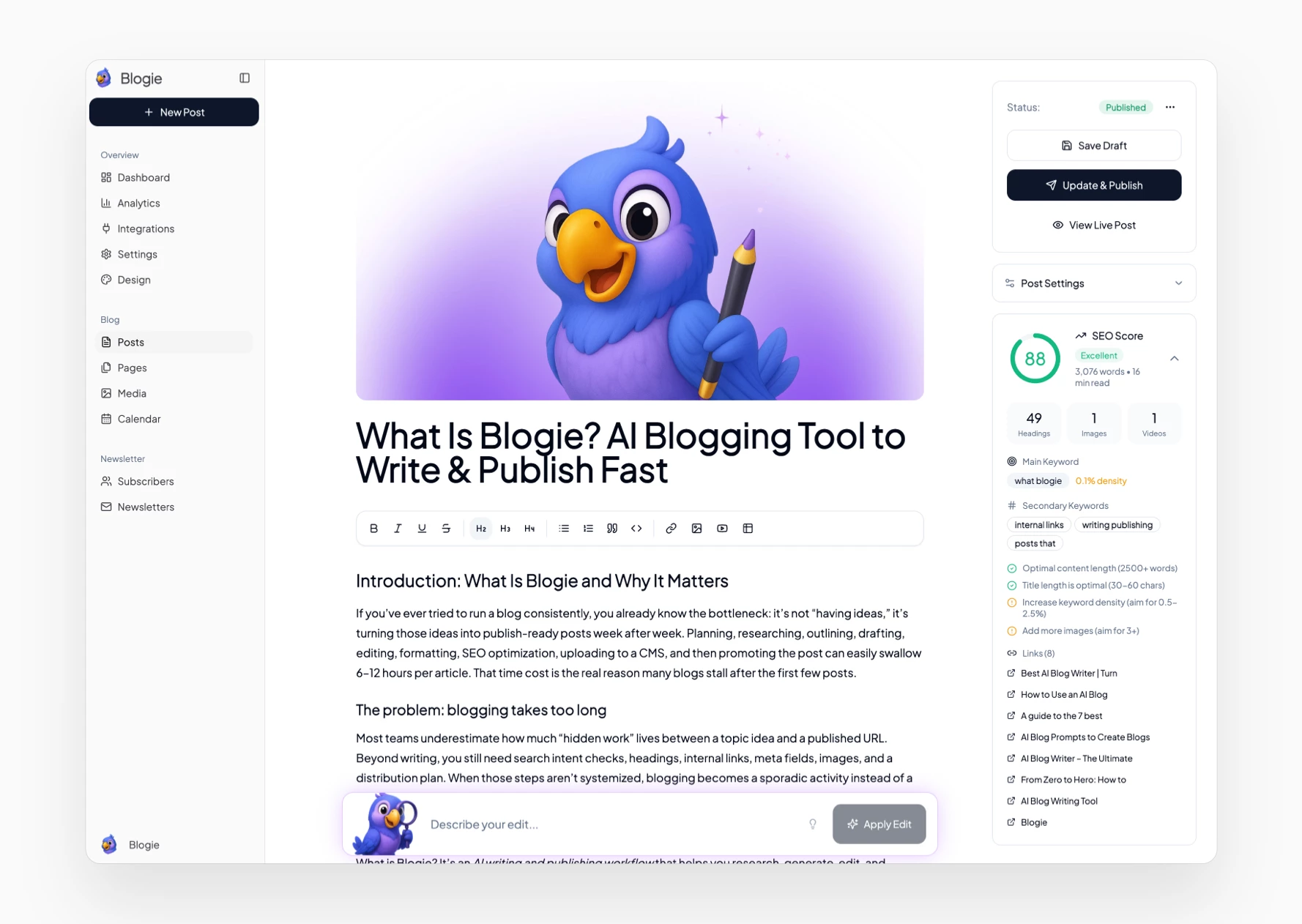
Original assets are a cheat code for credibility. Add screenshots of your process, a simple template (like a prompt pack or content brief), or a mini-case that shows results over time. These elements also increase time-on-page and make your post more link-worthy—two signals that tend to help SEO indirectly.
For example, you might include a template for a “human-in-the-loop” editing checklist, or a before/after paragraph showing how you improved an AI draft. If your site runs on blogie.ai, you can pair those assets with the built-in editor and image management so publishing stays painless.
Building authority: citing primary sources and experts
Citations aren’t just for academic writing—they’re trust builders. When you reference primary sources (official docs, original studies, first-party announcements), you reduce the risk of repeating misinformation. It also signals that your content was researched, not just generated.
Expert quotes help too, but only if they’re real and correctly attributed. If you don’t have access to experts, curate credible perspectives and link to the source directly. The goal is simple: make it obvious you cared enough to verify, not just publish.
Legal, Ethical, and Brand Risks You Shouldn’t Ignore

If your main question is can I use AI to write blogs, it’s smart to also ask: “What could this break?” Most people focus on speed and rankings, but the bigger risk is publishing something that creates legal headaches or damages trust. You don’t need to be paranoid—just intentional.
Copyright and training data: what’s known vs. unknown
Copyright law around AI-generated text is still evolving, and training data debates aren’t fully settled. What we do know is that you should avoid prompting AI to imitate specific living writers or reproduce paywalled content. Treat AI outputs like drafts that require your originality, and you reduce the chance of accidentally publishing something too close to an existing piece.
It also helps to create a consistent editing practice: rewrite intros, add unique examples, and bring in original assets. The more your content reflects your experience and structure, the less it resembles “generic internet average.”
Disclosure: when it’s smart (or required) to be transparent
Most blogs don’t need a giant banner that screams “AI WAS USED HERE,” but transparency can be a trust advantage in certain niches. If you’re writing for an audience that cares deeply about authenticity (or if your brand promise includes “human-written”), consider a simple disclosure statement about your process. At minimum, be honest if someone asks.
If you’re a SaaS brand like Blogie, you can frame AI as part of your workflow—drafting help with human review. That’s often the most comfortable middle ground for readers.
Sensitive topics: finance, health, and regulated content
For YMYL topics (Your Money or Your Life), the bar is higher because the harm is higher. AI can still help with structure and readability, but you need stronger verification, careful language, and sometimes professional review. Don’t let an AI content generator “guess” medical or legal advice—ever.
If you publish in regulated spaces, build guardrails: pre-approved sources, strict claim rules, and a final review by someone qualified. This is one of the rare times where “hands-off AI blog writing” just isn’t worth the risk.
Picking the Right AI Writing Tool Without Getting Overwhelmed

The tool landscape is noisy. Every week there’s a new AI content generator claiming it will replace your entire marketing team, and it’s exhausting. If you’re still deciding can I use AI to write blogs in a way that feels manageable, focus less on shiny features and more on what supports your workflow end-to-end.
Core features that actually matter (not gimmicks)
Start with the basics: can it generate structured outlines, maintain a consistent voice, and support easy editing? Next, check for SEO helpers like keyword suggestions, on-page guidance, and internal linking prompts. Finally, look for workflow features—scheduling, publishing, and analytics—because that’s what turns drafts into results.
This is why all-in-one platforms can be a relief. With Blogie, you’re not stitching together five tools just to get one post live. In my experience, fewer tools means more publishing.
Tool categories: chat, SEO assistants, and editors
Chat tools are flexible and great for brainstorming, outlining, and rewriting sections. SEO assistants focus on keywords, competitor comparisons, and content scoring, which can help if you’re targeting specific queries. Editors improve readability, grammar, and tone, but they usually won’t solve strategy or originality by themselves.
If you want to confidently answer can I use AI to write blogs with “yes,” choose a tool stack that matches your bottleneck. If your bottleneck is publishing and consistency, an integrated workflow tool tends to beat a pile of separate apps.
A simple scoring checklist for your use case
When I’m evaluating AI writing tools for bloggers, I score them on a few practical criteria. It’s not glamorous, but it works, and it keeps you from buying tools you won’t use. Here’s a simple checklist you can copy:
Draft quality: Does the first draft need light edits or a total rewrite?
Control: Can I set tone, audience, and constraints clearly?
SEO support: Does it help with structure, keywords, and on-page basics?
Workflow: Can I edit, format, schedule, and publish without friction?
Consistency: Can it reuse my context pack and style rules reliably?
If a tool scores high on workflow and consistency, you’ll publish more—and publishing more (with quality) is the entire point of asking can I use AI to write blogs in the first place.
Answers People Always Ask Before Using AI for Blogging
Once you start exploring how to use AI for blogging, the same practical questions come up every time. They’re good questions, too—because the goal isn’t to generate content; it’s to publish content that performs and doesn’t embarrass you later. Here are the big three I hear most often.
Can AI write an entire blog post by itself?
Yes, AI can generate a full post end-to-end, and for low-stakes topics it may even be “good enough” as a starting point. But if you publish without review, you’re accepting the risk of errors, blandness, and missed intent. So when you ask can I use AI to write blogs, I’d say: AI can write it, but you should still own it.
A better approach is full-draft generation plus human editing. That keeps speed high while protecting accuracy and voice, which is what readers and search engines respond to long-term.
How do I avoid plagiarism or duplicated content?
Avoid prompts that ask AI to mimic a specific writer, brand, or paywalled source. Then build originality into the process: write a unique outline, add personal examples, include your own templates, and rewrite key sections in your voice. Even small changes—like swapping generic examples for your real workflow—go a long way.
It also helps to publish with a consistent brand point of view. If your content always reflects your approach (and your product angle, if you’re a SaaS), you’ll naturally drift away from cookie-cutter AI blog writing.
How much editing should I expect?
Expect more editing early on, and less once you dial in your prompts and context packs. A decent first draft might take 30–60 minutes to refine into something you’re proud of, depending on complexity. Over time, you’ll develop a repeatable checklist that makes editing faster and more consistent.
If you’re using an all-in-one platform like Blogie.ai, the editing time often drops because formatting, image handling, scheduling, and publishing aren’t separate chores. That’s an underrated advantage when you’re trying to make AI blog writing a habit.
A Repeatable 30-Day Plan to Publish More (Without Lowering Quality)
If you want a real answer to can I use AI to write blogs, don’t judge it by one post. Judge it by whether you can publish consistently for 30 days without burning out or cringing at your own content. This plan is designed for exactly that: steady output, real expertise, and a workflow you can keep.
Week 1: build your topic bank and content templates
Start by building a list of 30–50 topic ideas tied to your audience’s actual questions. Mix “how-to” posts with comparison posts, opinion posts, and troubleshooting posts so your site doesn’t feel repetitive. Use AI to expand seed ideas into angles, but choose topics based on business relevance, not random virality.
Then create two or three templates: a how-to template, a “mistakes to avoid” template, and a “tool comparison” template. If you publish with Blogie, keep these templates inside your workflow so you can reuse them quickly without reinventing structure every time.
Weeks 2–3: produce drafts + expert edits in batches
Batch drafting is where AI shines. Set aside two sessions per week to generate outlines and first drafts for 4–6 posts at a time, then schedule separate sessions for editing. This separation matters because creative drafting and critical editing use different mental gears, and mixing them slows you down.
During edits, add your “expert layer”: firsthand steps, screenshots, numbers, and specific recommendations. If you’re building content for a SaaS audience, don’t be shy about showing your workflow—for example, how you go from idea → draft → edit → publish inside blogie.ai. That kind of specificity is what turns AI content SEO into something that actually earns trust.
Week 4: refresh, interlink, and measure what’s working
By week four, you should have a small library of posts. Now you tighten the system: add internal links between related posts, refresh weak intros, and expand sections that feel thin. Interlinking is especially powerful because it helps readers find more of your content and helps search engines understand your site structure.
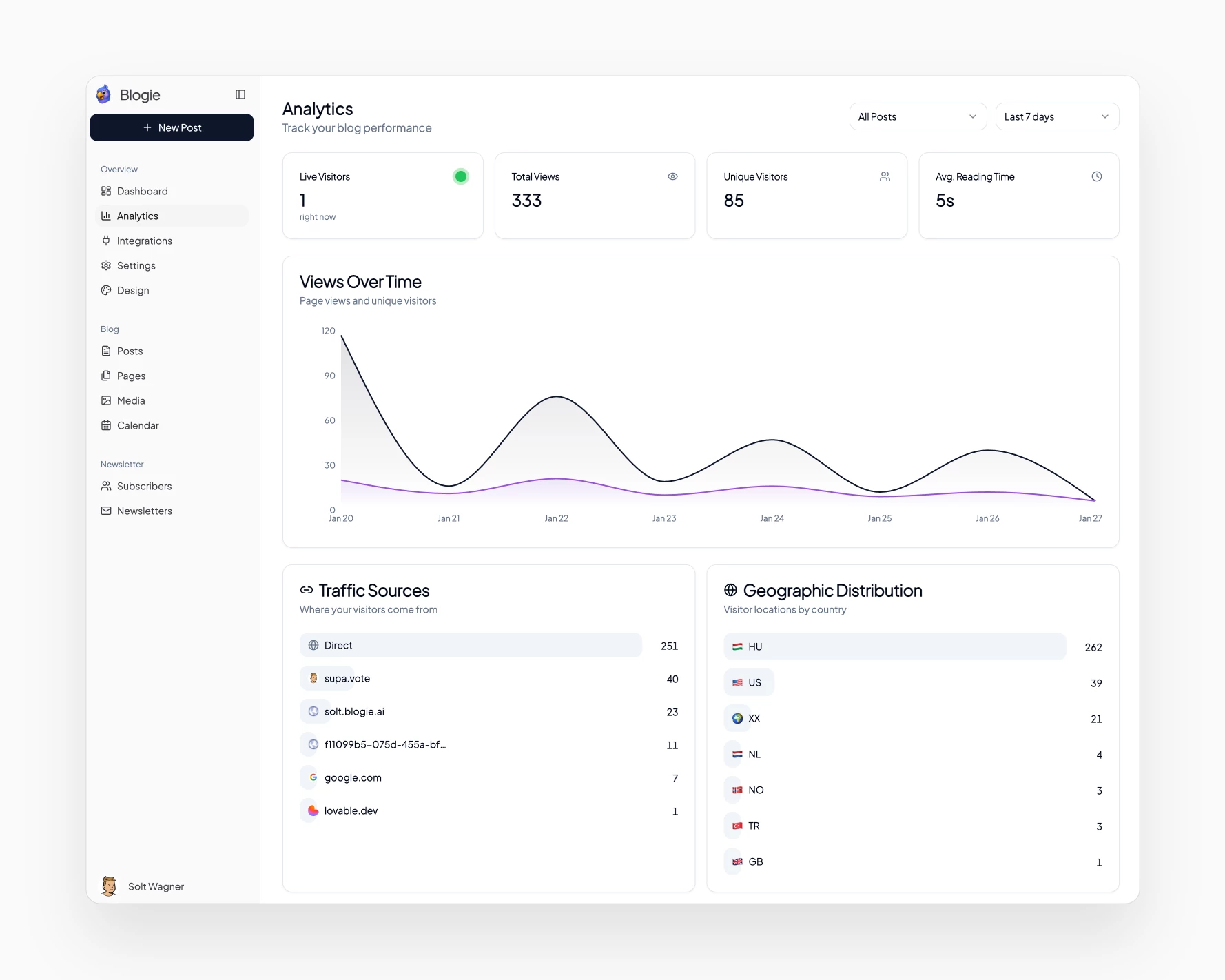
Then measure a few simple metrics: impressions, clicks, time-on-page, and which posts generate signups or subscriber growth. With built-in analytics, you can spot patterns faster and double down on what’s working—another reason integrated platforms make AI blog writing easier to sustain.
The non-negotiable checklist before you hit publish
This is the part that keeps your quality from slipping as you speed up. Before publishing any AI-assisted post, run it through a short checklist and don’t negotiate with yourself. Here’s the checklist I recommend:
Accuracy: Every factual claim is verified or rewritten to avoid false certainty.
Originality: At least 3 unique elements (story, example, template, screenshot, data).
Intent match: The post answers the exact question implied by the title and headings.
Voice: Reads like you; no stiff filler or repetitive phrasing.
SEO basics: Clear H2/H3 structure, natural use of can I use AI to write blogs, and clean meta elements.
Internal links: 2–4 relevant links to help readers continue (including Blogie where it fits naturally).
Next step: The reader knows what to do after finishing (try a workflow, use a template, publish a draft).
If you stick to that checklist for 30 days, you’ll stop treating can I use AI to write blogs like a theoretical question. It becomes a practical skill: you publish faster, stay consistent, and still sound like a real human with a point of view—because you are.
This article was created using Blogie.
This article was created using Blogie.